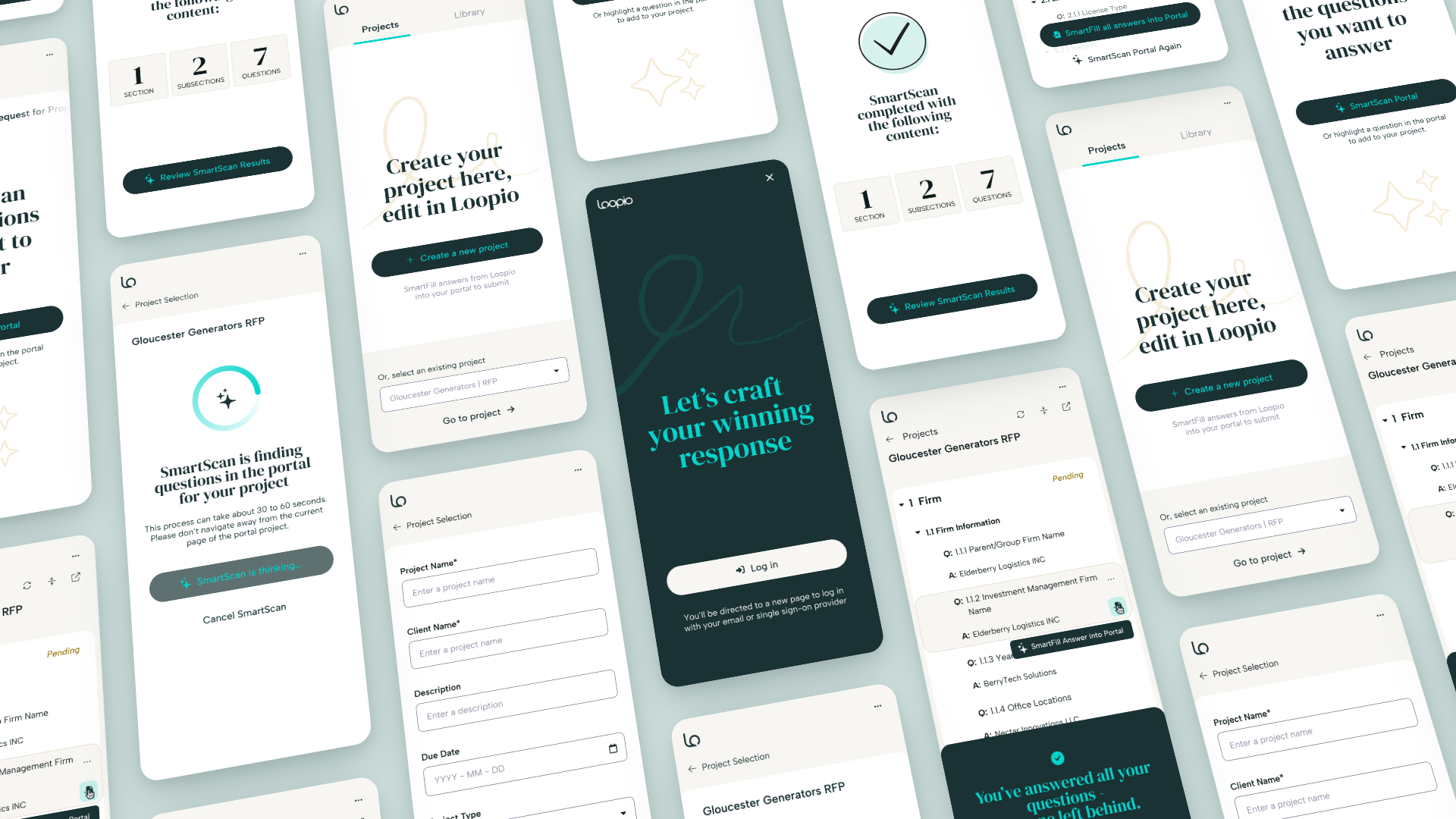
Q:How do we rescue RFx teams from dozens of clunky, inconsistent vendor portals and give them something that's actually a pleasure to use?
The goal of this project was to replace dozens of different painful portal experiences with one consistent interface, and let AI do the scanning so a job that used to take hours of copy-pasting takes minutes. It also doubled as the first live test of our new brand.
A lot of RFx work happens inside vendor "portals" - a custom procurement sites where an RFP gets posted. The only way in is to log in, read every question, and copy it out somewhere you can actually work. This time is wasted in setup and for teams juggling dozens of live RFPs, it could eat the first hour of a session before the first answer is written.
Customers told us this plainly, call after call:
“The SmartScan feature in the portal was so, so much easier than uploading a document to Loopio or having to manually copy and paste questions to a project.”Proposal Content Manager, a healthcare data and analytics company
“It's great to see the portal import process being made streamlined and made more automated.”Proposals team member, a benefits administration technology company
We didn't need a better copy-paste workaround. We needed the portal itself to become an entry point into Loopio.
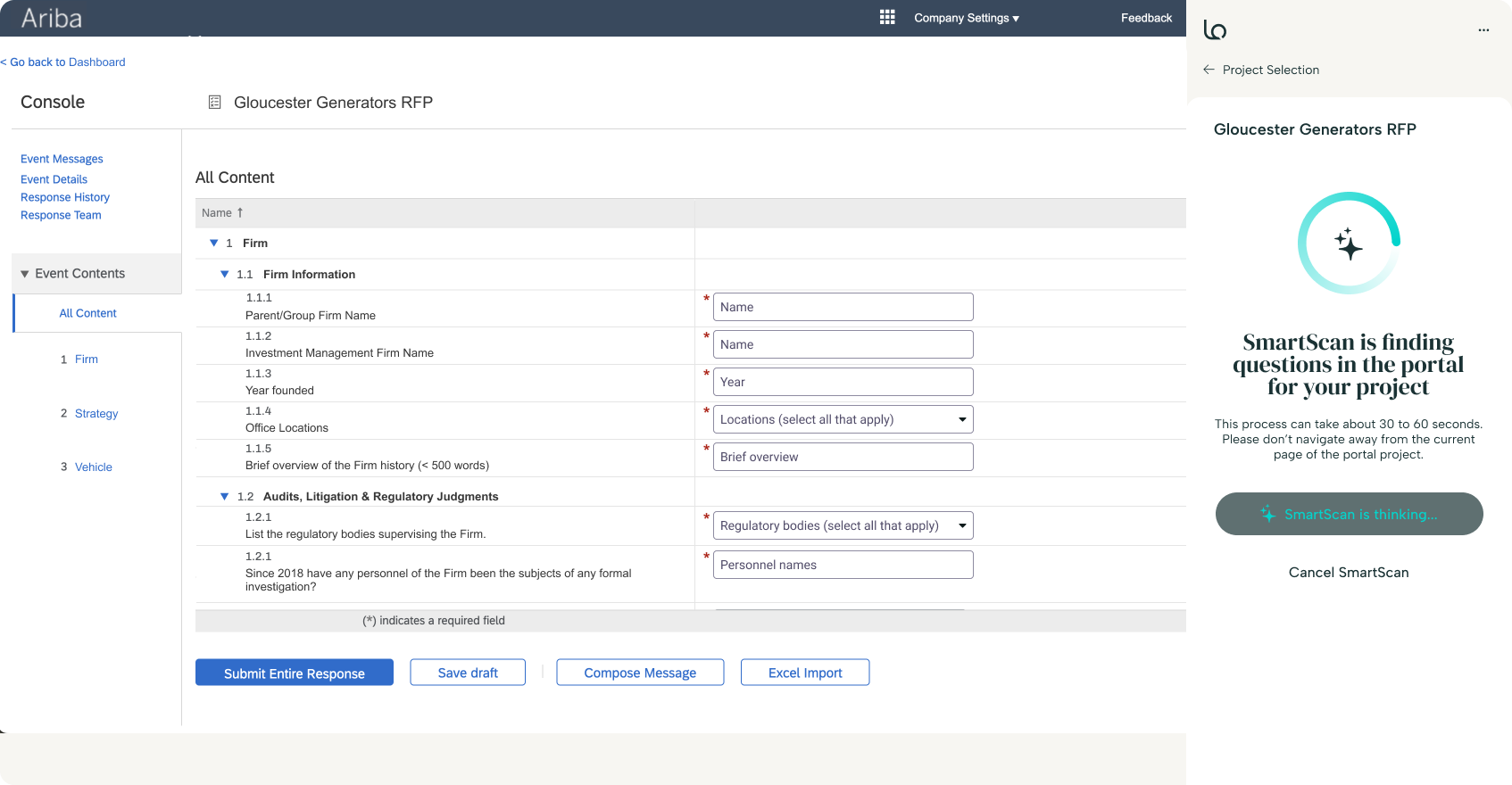
This is what teams were actually working in: a real procurement portal (Ariba, on the left).
I ran this as a research program, not a feature ticket. We started with an internal alpha with our sales and customer success teams since they talk to customers about these portals every day. I was able to get fast, well-informed feedback before running a full external cycle. From there we moved into a wider customer beta, then general release.
Claude Cowork took my interview notes, survey responses, and months of call transcripts and found themes in a fraction of the time a manual pass would have taken. Claude Design helped me push through wireframe directions fast, especially the hardest problem here: fitting a dense RFx question and a confident answer into a few hundred pixels of sidebar. Work that used to take half a day, wireframing especially, dropped to about 30 minutes.
This project doubled as the company's first external test of a brand refresh: new type, new palette, a different visual language for the product. I worked with others on the design team to help define what that system would actually look like applied to a real, shipped surface, under real constraints.
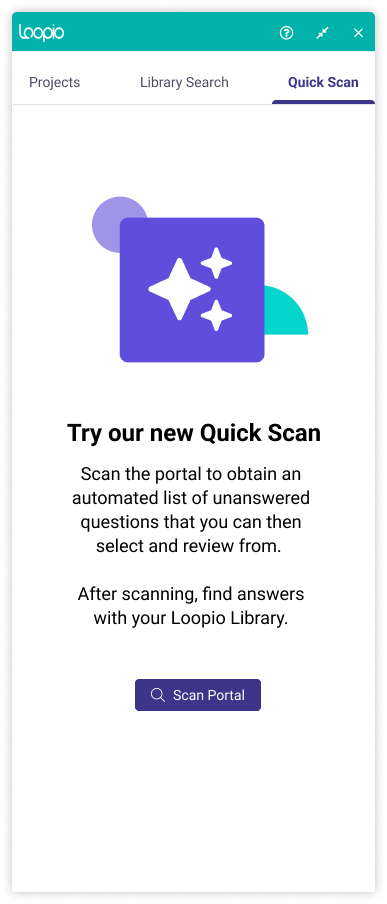
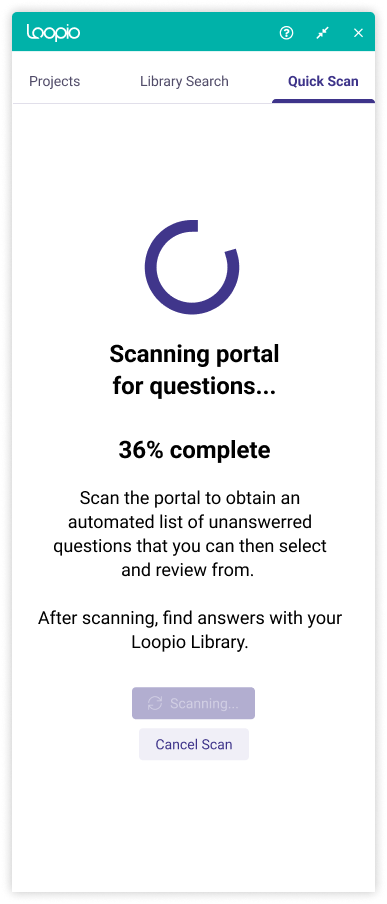
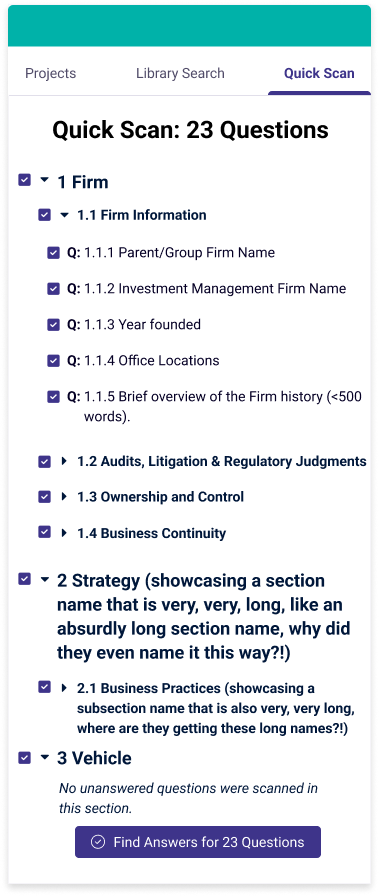
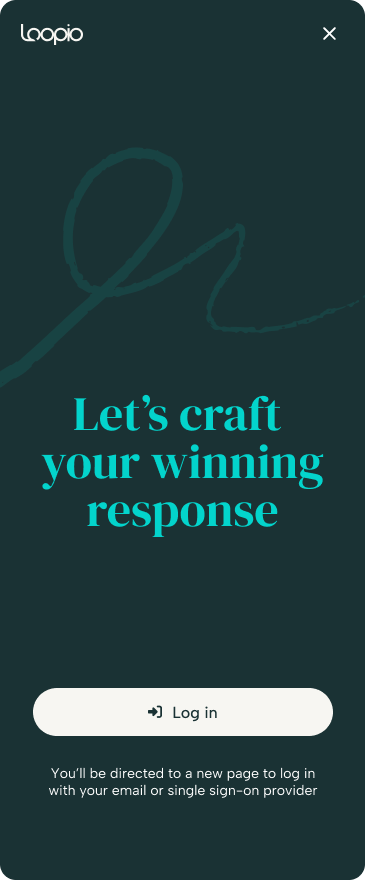

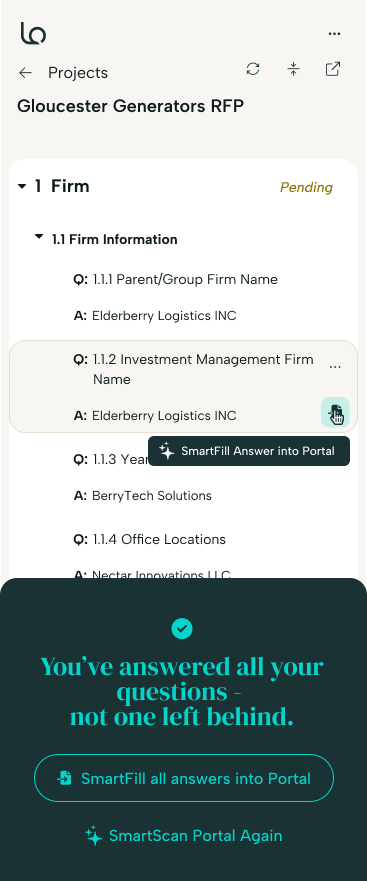
The shipped result points the extension at a portal question, click Scan, and it lands inside Loopio as a structured project. Every question is parsed out, matched against your content library, ready to answer or auto-fill. No more losing track of which answer belonged to which question, no reformatting, no second document open on the side.
Usage in the first three months after launch tells a clear story: this isn't a light, everyday tool. It's a batch tool, hit hardest in short, high-pressure windows. One global insurance brokerage ran 187 scans in a single day this July. A regional health insurer ran 137 in one sitting in August. Across just the seven accounts shown here, that's over 1,000 scans run in concentrated bursts, right when RFx teams needed the most relief.
Total scans per account in the first three months since launch, with peak single-day bursts called out.
“SmartFill and SmartScan work well together, and it's fantastic, and that's what really saves us time.”A real estate and property management software company
“What I like most about the browser extension is the speed and efficiency of filling in content. Capturing 90–95% accuracy, it picks up the majority of the work that needs to be done.”A laboratory information systems company serving healthcare and public-health labs
I led this initiative end-to-end, from the first customer conversation to a shipped, adopted feature: directing a PM and an engineering team, running the research myself, and helping define how the company's new brand would show up in a real product. Eighteen months on, it's still getting used most when it matters most: during RFP season.
The Loopio Browser Extension is available now on the Chrome Web Store.
Try it with Chrome| < |
previous
Power BI Embed |
next
Kardia | > | ||||

Chloe is currently working as a product designer in Toronto. In her spare time she enjoys designing data visualizations, interactive Arduino experiences, and writing on her blog.
You can find Chloe at [email protected], drumming in her Brazilian batu drumming band, at a number of local music concerts, or cycling around the city.
 Linkedin
 Medium
 Spotify
 Dribbble
 Vimeo
Vimeo